Why I went back to VMs
I spent a weekend reading the public architecture docs of a managed open-source hosting company, and the first fact I read made me uncomfortable. Every customer service is one dedicated VM running a Docker Compose stack behind OpenResty in host network mode, with full root SSH handed to the customer. About 12,000 of these across ten providers, 400-odd open-source apps, roughly 45 upstream releases absorbed a week. Explicitly not Kubernetes. My reflex was that this was a company that had not got round to Kubernetes yet. That reflex was wrong.
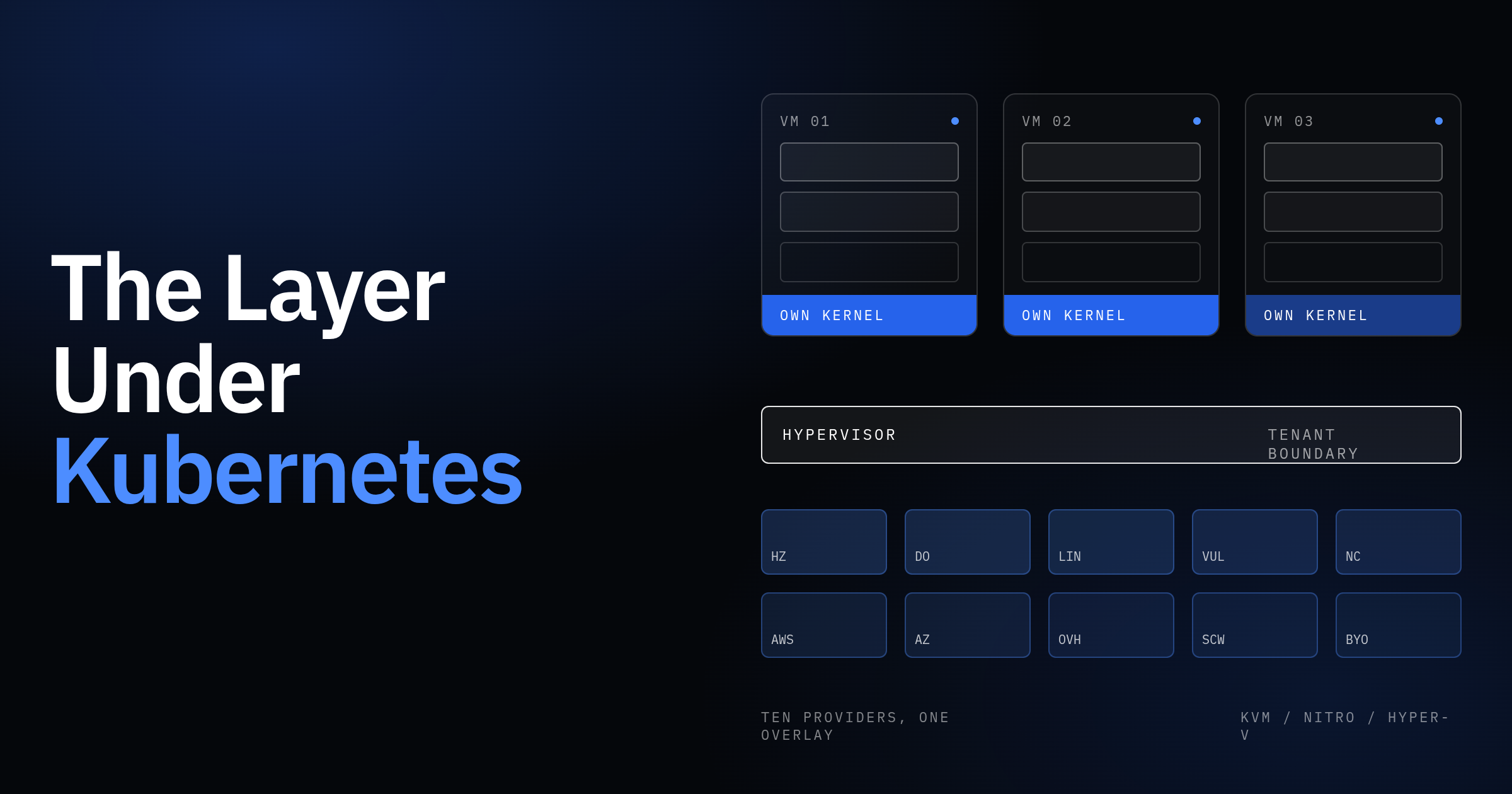
What reframed it: my tenant boundary is also the VM. Every cluster I have run sits on cloud VMs, and what actually separates one customer from another at the security level is the hypervisor, not the namespace. I put Kubernetes on top of my VMs to share them between workloads. They don’t share them, so they don’t need it. So I decided to learn the VM and cloud layer as a cloud user, not a hypervisor builder: no VM exits, no EPT, no QEMU device models, just what the provider’s choices look like from inside a VM, and which of my instincts survive the trip down.
Containers share a kernel; VMs each have one
Everything else follows from one fact. A container is a process the kernel has been told to lie to: namespaces change what it can see, cgroups change what it can consume, and the kernel is the same one every other container on the node is using. A VM is a whole simulated computer with its own kernel, and the provider owns the hypervisor under it: KVM nearly everywhere on this company’s provider list, Nitro on AWS, Hyper-V on Azure.
Three consequences explain the whole pitch. Root: a root process in a container is root of the shared kernel with some doors closed by capabilities, seccomp and LSMs, and you cannot hand that to a paying customer on a node shared with other paying customers. Blast radius: a kernel panic on a Kubernetes node takes every pod with it, and a runaway process the cgroup did not quite catch degrades every neighbour; on a single-tenant VM the same failures hit one customer, who caused them. Cadence: each VM runs whatever kernel, Docker and base image it was last upgraded to, so one tenant can sit on an old Postgres major for a year while the next one tracks latest.
Root in a container is root of a shared kernel with some doors closed. Root in a VM is just root.
Now the bill. Each of 12,000 VMs runs a kernel, systemd, sshd, the Docker daemon, nginx, a Nebula agent, a backup agent and a monitoring agent before the customer’s workload starts: hundreds of megabytes Kubernetes would amortise across a node. Idle capacity on one VM cannot be lent to a busy neighbour. Recovery from a dead host is a restore, not a reschedule. And there are 12,000 kernels to patch.
They didn’t solve multi-tenancy. They sidestepped it, and paid in RAM.
Four instincts need correcting, and each changes what you would do. “A namespace isolates tenants”: it scopes RBAC, quotas and scheduling, and a kernel bug ignores it. If you have been treating it as a security boundary you need a sandboxed runtime like gVisor or Kata, or one kernel per tenant. “No scheduler means something is missing”: a scheduler places many workloads on fewer machines, and with one workload per VM placement is a provisioning-time decision never revisited. “hostNetwork is a smell”: on a shared node, yes. When the whole VM is one tenant, OpenResty binding 443 on the real interface and seeing real client IPs is the correct default. “Compose is baby Kubernetes”: it is a different bet. Kubernetes controllers reconcile desired state for ever, whether anyone asked or not. Compose applies desired state once, when you run it, and the Docker daemon supervises what it created. The hosting company runs Compose over SSH, so reconciliation happens when their tooling connects.
Kubernetes reconciles continuously. Compose over SSH reconciles when you tell it to.
vCPUs, steal time, and sizing
A physical CPU has cores; most server cores run two hardware threads that the OS sees as two logical CPUs, and two threads on one core share its execution units, so together they deliver around 1.3 times one thread, not two. A vCPU is one of those threads.
Then the provider oversells. On shared plans, which is what “standard” and most budget tiers mean, more vCPUs are allocated across VMs than the host has threads, on the airline logic that not everyone shows up at once. When they do, someone waits. Dedicated plans map a vCPU to a thread nobody else gets.
A vCPU is a thread, not a core, and on shared plans it’s a thread you’re sharing.
The hypervisor leaves a fingerprint inside your VM. When your kernel had a runnable thread and the hypervisor gave that slice to another VM, the guest accounts it as steal time, st in top. A few percent is normal on shared plans. Twenty percent is a noisy neighbour, and nothing inside the VM fixes it: a stop/start usually lands you on a different host, or you change plan or provider.
Burstable instances are the same problem in a different costume. Lightsail is t-class underneath: it earns CPU credits while idle, spends them under load, and throttles to a fraction of a vCPU when they run out. The resulting ticket is “it was fine for three weeks and then got five times slower”. Nothing changed. The credits ran out.
Sizing a single-tenant VM follows a priority I now hold firmly: RAM for safety, disk for safety, CPU for speed. RAM is not oversold the way CPU is; if 8 GB of VM meets 9 GB of demand, something is OOM-killed, and that is a hard failure. Disk-full is the same shape. CPU shortfall is just slow, and slow is a ticket, not an outage.
Resizing is not what a Kubernetes person expects. Scaling up is a reboot: the provider stops the VM, finds a host with room, starts it. Scaling down is often impossible, because most providers grow the root disk with the plan and disks do not shrink. Hetzner’s CPU-and-RAM-only upsize, which leaves the disk alone so you can come back down, is a per-provider exception that does not port to the other nine.
Three instincts to retire. Requests and limits divide what the VM actually receives; a 4 CPU limit on a VM with 20 percent steal is a 3.2 CPU limit you cannot see. “Add replicas” does not apply to a single Postgres; you scale vertically and provision headroom you would never tolerate on a cluster. And nothing bin-packs or rebalances; a VM that is 90 percent idle stays that way.
The diagnostic to have cold, for “high load but the app isn’t busy”, is the header of top:
top - 14:02:11 up 41 days,  3:12,  1 user,  load average: 6.12, 5.80, 4.91
Tasks: 212 total,   2 running, 210 sleeping,   0 stopped,   0 zombie
%Cpu(s): 12.3 us,  4.1 sy,  0.0 ni, 41.0 id, 18.2 wa,  0.0 hi,  0.4 si, 24.0 st
MiB Mem :   7821.1 total,    312.4 free,   6890.2 used,    618.5 buff/cache
MiB Swap:   2048.0 total,    611.0 free,   1437.0 used.    502.3 avail Mem
us is your application, sy is kernel work on its behalf, id is idle, wa is idle-because-blocked-on-disk, and st is what the hypervisor took. This box has a load average of 6 on probably 4 vCPUs with only 16 percent doing work: a quarter stolen, a fifth waiting on disk, 1.4 GB of swap in use. Check st, wa and swap before touching the app, because tuning Postgres here would be tuning the wrong thing.
Storage: where the data actually is
Your disk is one of two very different things, and the provider does not always say which. Local NVMe is a drive inside the host: fsync in about a tenth of a millisecond, and it dies with the host. Network block storage is a volume served over the provider’s storage network to whichever host you land on: it survives the host, resizes, snapshots independently, and costs one to several milliseconds per fsync, with IOPS usually capped in proportion to volume size. Budget providers like Hetzner, Netcup and Vultr typically put the root disk on local NVMe; hyperscalers and their offshoots (Azure, Lightsail) default to network storage.
This matters most for databases. A Postgres commit is a WAL write plus an fsync, and the transaction does not return until the fsync does, so commit latency is fsync latency: thousands of small transactions per second per connection on local NVMe, hundreds on network storage, same VM size, same config. If a customer’s cluster has its primary on Hetzner NVMe and its replica on a hyperscaler’s network volume, the replica cannot apply WAL as fast as the primary produces it, and lag is baked in before any network hop is counted.
Latency, IOPS and throughput are three numbers, and small network volumes on many providers are limited to a few hundred or a few thousand IOPS, hit long before the volume is full. The fix is a bigger volume than you need for space, bought for the IOPS.
Small network volumes are IOPS-capped before they’re space-capped.
Disk-full is a hard failure and the most predictable one on a box that lives for years. The usual culprits on a Compose host: WAL or binlog retention that grew after a replica fell behind, Docker image layers piling up after months of weekly upgrades, and container JSON logs never rotated. df -h confirms it, du -xsh /var/lib/docker /opt/* /var/log finds it (-x stays on one filesystem), and iostat -x 1 tells you whether the disk is also why everything is slow:
Device   r/s   w/s   rkB/s   wkB/s  r_await  w_await  aqu-sz  %util
vda     12.0  310.0   96.0  4820.0     1.10    14.80    4.62   99.6
A w_await of 15 ms with %util pinned at 100 is a saturated disk. If the volume is network-attached, check the provider’s IOPS cap before blaming Postgres.
Snapshots and backups are different tools. A snapshot is the whole disk, taken and stored at the provider, crash-consistent, fast to take and fast to roll back to, and useless if the region is down or the account is compromised. A backup, here Borg with incremental deduplicated archives shipped to a second datacenter, is your data rather than your disk: application-consistent if you dump the database rather than copy its files, off-site, restorable at file granularity.
Snapshots roll back. Backups recover. Same provider means same blast radius.
Their 3-2-1 arrangement (Borg off-site, provider snapshots, optional customer-owned S3) is shaped by the providers’ unevenness: Hetzner has full snapshot support, Netcup’s is limited, so the Borg path has to be solid everywhere because on some providers it is the only real recovery. And a backup that has never been restored is not one.
An untested backup is a hope.
There is no PV, PVC or StorageClass; the data is a bind mount at something like /opt/app/data on the root disk, and that is the storage layer. Nothing reattaches storage to a rescheduled workload, because the workload is the VM. A dead VM with a local disk is a Borg restore onto a fresh VM, with RPO equal to the time since the last backup.
Networking without a CNI
A cloud VM has a public IP, sometimes a private IP on the provider’s internal network, and no idea any other VM exists. Provider private networks stop at the provider’s edge: a Hetzner private network does not reach a Linode, which for clusters that span providers makes it nearly useless as a fabric, and is why they built one on top.
NAT is where Kubernetes networking misleads most. In a cluster a request crosses a Service, kube-proxy or eBPF, maybe an ingress controller, and the pod sees a client IP that depends on externalTrafficPolicy. Here OpenResty runs in host network mode, binds 80 and 443 on the real interface, and the client IP in the access log is the client’s IP.
Security groups are a firewall the VM cannot turn off, enforced at the provider’s virtual switch before packets reach the guest, so a customer who flushes iptables is still protected. The hosting company defaults to 0.0.0.0/0, which is a product decision: “no DevOps expertise required” does not survive a day-one ticket about port 443 being closed. The engineering answer to a permissive default is a one-click lockdown.
DNS does not propagate; caches expire. Every resolver holding the old answer serves it until the TTL runs out, and nothing you do hurries it. So TTL is a failover setting: a 3600-second TTL on a record you might repoint in an incident is an hour of RTO chosen in advance. dig +short app.example.com @1.1.1.1 shows what the world sees; drop the @ to see what your resolver sees, because they disagree during exactly the window you care about.
TLS termination is per VM. lua-resty-auto-ssl in OpenResty issues a Let’s Encrypt certificate on the first request for a hostname, stores it locally, renews it. Every VM is its own ingress and its own cert-manager, with no shared failure point and 12,000 copies of the failure modes. HTTP-01 needs port 80 reachable from the internet, so a customer who firewalls it breaks renewal silently and finds out at expiry. Let’s Encrypt rate limits are per registered domain, so a customer with many subdomains can hit the weekly cap. And the first HTTPS request for a new hostname is slow, because issuance happens inside it.
Overlays give you a private network across providers. WireGuard is a tunnel: a key pair per peer and static config you manage. Tailscale is WireGuard plus someone else’s control plane doing key exchange, NAT traversal and access control. Nebula, the Slack project the company uses, is a self-hosted mesh: each node has a certificate signed by your CA, its identity is that certificate, lighthouses help nodes find each other, and firewall rules are written in terms of certificate groups rather than IPs. For a company selling self-hosting the fit is obvious: no SaaS dependency, per-project isolation by group, the same overlay on every provider and on a customer’s own VM.
The Kubernetes instinct is that Nebula is the CNI. It is the closest thing, but there is no controller. The certificate is issued at provisioning and placed by the bootstrap; when it nears expiry or the CA rotates, someone pushes new ones to every node, and that is a fleet rollout with ordering constraints.
Provisioning: cloud-init for 30 seconds, SSH for everything after
Creating one of these VMs is a workflow in which every step can fail in a way that needs a retry rather than a rollback. Call the provider API to create; poll until the provider says running; poll until SSH answers; run the bootstrap; deploy the Compose stack; register DNS, schedule backups, enrol monitoring, join Nebula; hand over. “Provider returned 500 on create, does the VM exist” is a question the workflow must be able to answer, usually by tagging the request with its own ID and listing servers.
Cloud-init runs whatever the provider’s metadata service hands the VM on first boot. Its natural job is the first 30 seconds: hostname, SSH key, maybe a package mirror. Its unnatural job is a 400-line bootstrap, because when that fails the VM never becomes reachable and your only tool is the serial console. Doing the heavy lifting over SSH afterwards makes each step a command you ran, with output you captured, that you can rerun.
Base image plus script versus custom images is a choice ten providers make for you. A golden image has to be built, uploaded and kept current on each provider separately, through ten import APIs, and BYOVM has none. A script starting from the provider’s stock Ubuntu ports to all of them at the cost of a slower first boot.
Immutable versus mutable is where the Kubernetes instinct is strongest and the answer least comfortable. On a cluster I would never patch a node; I would replace it. Here the customer has root and their data is on the disk, and replacing the VM is a migration with downtime they did not ask for. So the host is mutable and patched in place, and the workloads on it are immutable in the sense that they are versioned images replaced on upgrade.
Pets and cattle resolve the same way. To the platform every VM is cattle: numbered, script-built, one runbook for all 12,000. To the customer it is a pet with a name, a history and root. Backups let both be true, because the platform can treat a VM as replaceable only if the customer’s data is safe somewhere the VM is not.
Their Terraform provider is a client of the same REST API the workflow uses, not the provisioning system itself. It is Go, with about 400 resource types generated from one service schema, a resource per app.
The bootstrap script is what everything depends on. Idempotent, so a rerun after failure does not double-install or wipe. Versioned, so you know which script built which VM. Staged, so it can resume at “Docker configured” rather than start over. Observable, so each step logs a result the workflow can read. And rollback-able for the steps that visibly change state.
Docker Compose in production is not baby Kubernetes
Docker on these VMs is packaging and supervision. It is not isolation, because the VM already provides that.
docker compose up -d compares the file to what is running, creates or recreates each container to match, and exits. It is a one-shot reconcile. What keeps containers running afterwards is the daemon honouring each container’s restart policy: unless-stopped survives a reboot, and the default of no does not. The ticket that teaches this is “we rebooted for a kernel update and the app is down”.
Bind mounts versus named volumes matters more here than on Kubernetes. A named volume lives under /var/lib/docker/volumes, managed by Docker. A bind mount is a host path you chose, like /opt/app/data. The company uses bind mounts because the container is disposable and the bind mount is the customer: it is what Borg backs up, what a root user can find, what survives docker compose down. That also makes docker compose down -v the most dangerous command on the box, since it removes named volumes with the containers.
Upgrades are a tag change and a restart. The real work is upstream: 45 releases a week across 400-plus apps have to be classified into patch, minor and major. A database major is a migration; Postgres will not read the previous major’s data directory, so bumping postgres:16 to postgres:17 produces a container that starts, logs an error and restart-loops until someone runs pg_upgrade or a dump and restore. Pin exact tags so a 3am restart does not silently upgrade. Prune old images or the disk-full section comes back. Snapshot before majors, because that is when you want a fast rollback.
Healthchecks report; they do not act. A failing healthcheck shows unhealthy in docker compose ps and nothing else happens; the restart policy fires only on exit, and Uptime Kuma is the external watcher. Logs default to json-file with no size limit, and a chatty app fills a small root disk in weeks; max-size and max-file belong in the template, not in each customer’s file.
Container memory limits are mostly not set, and that is deliberate. On a shared node a limit protects neighbours. Here there are none, and a Postgres limit below the VM’s RAM just means Postgres gets OOM-killed by the cgroup instead of using memory that was sitting idle. The VM’s RAM is the limit.
Secrets live in a .env file next to the Compose file. The honest comparison with Kubernetes Secrets: both are plaintext-or-base64 at rest without extra work, since etcd encryption is off by default. The threat model in both cases is “someone else gets root”.
Host mode has consequences that are easy to miss. localhost inside a container is the VM’s localhost, so services talk on 127.0.0.1:5432 and Compose service-name DNS does not exist. Port collisions are a Compose-authoring concern: two services wanting 8080 fight. And the well-known problem of Docker’s iptables rules bypassing ufw is not in play, because nothing is published and no DOCKER chain rewrites anything.
When a service is down, the walkthrough is short. docker compose ps shows what is up, restarting or exited, and its health. docker compose logs --tail 200 app shows why the restarting one is restarting; the answer is usually in the last twenty lines. ss -tlnp shows what is actually listening where and which process owns it, which catches “bound to the wrong interface” and “something else took 443”. df -h and free -m come next, because a full disk or exhausted RAM produces symptoms in every other layer that look like application bugs.
Multi-cloud abstraction: same six verbs, a hundred different nouns
Every provider on the list can create a server, describe it, delete it, resize it, snapshot it, attach a firewall, and list regions and sizes. That is the driver interface, and it has the same shape as a cloud-controller-manager or a CSI driver: a few verbs the core calls, one implementation per provider behind them. The effort goes into everything the verbs do not capture.
Size naming first: a Hetzner cx22, a DigitalOcean s-2vcpu-4gb and a Linode g6-standard-2 are all roughly two vCPUs and four gigabytes with different CPU generations, bundled disk, burst behaviour and prices, so the platform defines abstract sizes and keeps a hand-maintained mapping table per provider. Regions have different names and meanings. Image IDs for the same Ubuntu differ everywhere and rotate. Snapshot APIs range from full to limited to absent. Private networking is a VPC here, a flat LAN there, nothing on BYOVM. Block storage is first-class on some and unsupported on others. Capacity is real: the create that worked Monday returns “resource unavailable” Tuesday because that size in that region sold out. Quotas and rate limits a hobbyist never meets are hit daily at 12,000 services. The APIs disagree on whether create is synchronous, what a 404 after delete means, and whether a repeated create is an error or a second server. IPv4 is billed separately on some, floating IPs exist on some, billing is hourly or monthly or per-second, and reliability differs in ways only your own incident history will tell you.
The design rules each prevent a class of outage. The contract is the lowest common denominator and everything else is a capability flag: the core asks the driver “can you snapshot” rather than assuming. State is normalised into your own machine at the driver boundary, so nothing above it sees a provider’s word for “running”. Your database holds intent, the provider holds reality, and a reconciler finds the gap, such as the orphan a failed create left behind that is still billing. Retries are idempotent because your own request ID goes into the provider’s labels on create, so a retry lists by label before creating again. Circuit breakers are per provider, so one provider’s bad day does not tie up the whole workflow pool. And everything that can live above the provider does: Nebula rather than VPCs, Borg rather than snapshots as the primary backup, your own DNS, your own monitoring.
Use the provider for compute and IPs; bring everything else yourself.
Why not Terraform or Libcloud internally? Because the abstraction is the product. A generic library covers many providers acceptably; the platform needs ten providers exactly, with each one’s capacity quirks and retry behaviour baked into the driver. Their Terraform provider exists for customers, as a client of the platform’s API.
Some things leak through no matter what, and exposing them is a product decision: features (snapshots on Hetzner, not really on Netcup), performance (local NVMe versus network), price, capacity, and recovery time (a snapshot restore in minutes or a Borg restore in an hour).
You can abstract the API. You can’t abstract the disk speed.
Bring-your-own-VM is the honest test. It is a provider with no API: no create, resize, snapshot or fence. Everything that works on BYOVM was genuinely built above the provider; everything that does not is where the abstraction leaned on the provider more than it admitted.
An eleventh provider is a driver, a size table, an image lookup, a capability declaration, retry and rate-limit settings, a billing model, and a test account used continuously. Then it is a permanent cost: plans retire, APIs version, regions open and close, and the mapping table is wrong the day nobody is watching it.
Fleet operations without a control loop
Nothing on these VMs happens unless something connects and makes it happen. Everything the Deployment and DaemonSet controllers and Argo or Flux do for a cluster is a job runner over SSH here, and the runner has to reimplement the parts of those controllers that matter.
A rollout starts from an inventory database that knows every VM’s provider, region, app, version and risk tier. A queue-backed runner picks VMs, connects over SSH with a concurrency cap, runs an idempotent script, and records the result per VM. Rings decide the order: the company’s own internal services first (their ClickHouse, Redis, MinIO and Uptime Kuma, I’d guess), then a random sample across providers so a provider-specific failure shows early, then by risk tier, and within any cluster the replicas before the primary. Soak time between rings gives slow-burn failures a chance to show in monitoring. An error rate above threshold halts the rollout automatically, because at 12,000 VMs a human will not notice fast enough. And the runner rate-limits per provider, because the SSH storm that is fine on Hetzner might trip abuse detection elsewhere.
Say it plainly: this is the Deployment controller’s maxUnavailable and progressDeadlineSeconds, rebuilt in a job runner.
A rollout is rings, soak time and an automatic halt: a Deployment controller with humans in the loop.
Blast radius is inverted compared to a cluster. The customer VMs are isolated from each other; the shared risk lives entirely in the platform’s own control plane: the config push system, the provisioning workflow, the Nebula CA and lighthouses, DNS, and the backup server. A bad config push is the one thing that can hurt thousands of VMs at once.
Drift without a controller is where the Kubernetes answer is actively wrong. Argo and Flux self-heal by overwriting live state that differs from Git. On a VM where the customer has root, the customer editing the Compose file is not drift; it is the product working. So the platform runs periodic audits that collect facts (installed versions, config hashes, running containers, restart policies, last successful backup, Nebula cert expiry) and applies a policy to them. What the platform owns (agents, backup schedule, logging config, the Nebula cert) is auto-corrected. What the customer may legitimately have changed (the Compose file, app config, packages) is flagged, not overwritten. Their Cluster Resynchronization feature is the same idea as a button: an on-demand reconcile that brings a cluster’s nodes back in line after a recovery or network split.
Audit everything, reconcile only what’s ours.
Kernel patches are the rollout that needs a reboot, so they are scheduled, announced, and run through the rings with extra soak. Livepatch reduces how often the reboot is needed, not whether. For clusters: replicas first, failover, then the old primary, so the customer’s database never reboots on the node that is currently primary.
Nebula certificate rotation is a two-phase rollout where order matters more than speed. Phase one pushes the new CA to every node’s trust list alongside the old one, and only once every node has it does phase two issue node certificates signed by the new CA. Do it in one phase and the first node with a new cert cannot talk to any node without the new CA, which on a 12,000-node mesh is a self-inflicted partition.
Monitoring at this scale splits into platform-level (control plane health and fleet aggregates: VMs that missed their last backup, the fraction of one provider’s VMs unreachable, halted rollouts) and per-service, where half the alerts are the customer’s problem. Alert on symptoms, route by who can fix it. Correlate by provider and region before paging, because forty VMs going unreachable in one Hetzner location is one incident, not forty. Dedupe, tier severity, and enforce runbook-or-delete. On-call should see incidents with a scope and an owner, never a list of VMs.
Reliability without a scheduler
There is no scheduler and no operator here, so be precise about what happens to a single VM. These numbers are rough; they show the shape of the ladder, not a commitment.
| Failure | What recovers it | Rough RTO | Rough RPO |
|---|---|---|---|
| Container crash | Restart policy | Seconds to a minute | None |
| VM hang or kernel panic | External monitor, provider API reboot | 2 to 10 minutes | In-flight transactions only |
| Disk full | Alert, prune or resize, possibly a reboot | 10 to 60 minutes | None if caught; Postgres stops writes rather than corrupting |
| VM destroyed, snapshot exists | Provider snapshot restore | 10 to 30 minutes | Since the last snapshot: hours to a day |
| VM destroyed, no snapshot | New VM, bootstrap, Borg restore | 30 minutes to hours, by data size | Since the last Borg run: up to a day |
| Region or provider outage | Wait, or rebuild elsewhere from Borg | Hours, unless a replica exists elsewhere | Replication lag, or the last backup |
Most rows have RPOs in hours because a single VM’s data lives on that VM until the next backup. The way down from that is a cluster, and “cluster” here means something specific: an app that spans infrastructure, not infrastructure that runs apps. N VMs, possibly on different providers, running the same software with its own replication (Postgres streaming, MySQL binlog, Redis Cluster), configured by the platform over SSH.
Synchronous versus asynchronous replication has a latency bill. Synchronous means a commit waits for the replica’s confirmation: RPO zero, plus a round-trip per commit. Between two VMs in one Hetzner location that is under a millisecond. Between Hetzner and Azure over a Nebula tunnel it is tens of milliseconds, and a primary doing 2,000 commits a second on local NVMe now does 40 per connection. Almost everyone chooses asynchronous across providers, accepts an RPO of seconds, and should be told that they did.
Failover is four steps and a fifth people forget. Detect that the primary is gone. Fence it, so that if it is not actually gone it cannot accept writes. Promote the replica. Repoint traffic. Afterwards, re-sync the old primary as a replica of the new one: pg_rewind if its timeline diverged only slightly, a re-clone otherwise. I’d guess that fifth step is most of what Cluster Resynchronization does, and its existence as a named feature suggests the failover itself is manual or semi-manual with the platform assisting rather than deciding, which for two nodes is the safe choice.
Detect, fence, promote, repoint. Fencing is the step people skip and split-brain is how they learn.
Fencing on a cloud VM means the provider API: stop the server, detach its network, or swap its security group to drop everything. The case it exists for is a Nebula tunnel dropping between two healthy nodes, the replica being promoted, the tunnel returning, and two primaries accepting writes for the same database. The provider API is the only thing that settles that from outside, which is why BYOVM clusters are weaker: there is no API to fence with, so the fence is a person or a script on the customer’s own box.
What repoints traffic depends on the clients. A floating IP moved via the provider API is fast and clean, and only works when both nodes share a provider and region that supports it. Short-TTL DNS works everywhere, is slow by exactly the TTL, and runs into connection pools that resolved the hostname once at startup and never again. A proxy on the Nebula overlay, repointed by config, serves in-mesh clients without DNS. And libpq clients given both hosts with target_session_attrs=read-write find the writable one themselves.
Two nodes cannot form a quorum. When A cannot see B over a flaky tunnel, A does not know whether B is dead or the tunnel is. Promote anyway and B was fine: split-brain. Four ways out. A human decides, slowly and never wrong the same way twice. A third vantage point acts as witness: the control plane can reach both nodes over the public internet and be the tiebreaker. Fence before promote, so even a wrong decision cannot produce two writers. Or run three nodes, which Redis Cluster already forces by requiring three masters, at the cost of a VM the customer may not want to pay for.
Two nodes can’t vote. A human decides, a witness decides, or the provider API fences.
“Both nodes up” means nothing. A replica that is up and 40 minutes behind loses 40 minutes on failover. Replication lag is the health signal, and on the primary it is one query:
SELECT client_addr, state, sync_state,
       pg_wal_lsn_diff(pg_current_wal_lsn(), replay_lsn) AS replay_lag_bytes,
       write_lag, flush_lag, replay_lag
FROM pg_stat_replication;
A missing row for a replica that should be there means it is not connected. A replay_lag_bytes that grows and does not come back means it cannot keep up, and mismatched disks are the first suspect.
The Kubernetes instinct is that CloudNativePG or Patroni handle this, and they do, with etcd or the API server as the arbiter that makes leader election safe. There is no arbiter here. Safety comes from procedure: the fence, the witness, the order of operations, the human who checks lag before promoting.
The summary table
| Kubernetes instinct | Why it fails on plain VMs | What to think instead |
|---|---|---|
| A namespace isolates tenants | It scopes RBAC and scheduling; a kernel bug ignores it | The VM is the tenant boundary; root inside it is just root |
| No scheduler means something is missing | One workload per VM makes placement a one-time provisioning decision | Look for the provisioning workflow, not the scheduler |
| hostNetwork is a smell | The whole VM is one tenant; there are no neighbours to protect | Host mode is the default: real IPs, no NAT, no port mapping |
| Compose is baby Kubernetes | Compose reconciles once, on demand; the restart policy is the supervisor | Treat up -d as a deploy step and set restart: unless-stopped everywhere |
| Requests and limits give me capacity | They divide what the hypervisor delivers; steal time and CPU credits are invisible to them | Size RAM and disk for safety, CPU for speed; check st and wa first |
| Scale by adding replicas | One Postgres scales vertically; up is a reboot, down is usually impossible | Provision headroom at creation; treat size as sticky |
| A PVC reattaches my data | Data is a bind mount on the root disk; local NVMe dies with the host | Know which disk you have; the backup is the reattach |
| Snapshots are backups | Same provider, same blast radius, crash-consistent only | Snapshots roll back, Borg recovers, restores get tested |
| Ingress and cert-manager are shared | Every VM is its own ingress and its own ACME client | Keep port 80 open, watch rate limits, treat TTL as a failover setting |
| Immutable nodes, replace not repair | The customer has root and data on the VM | Mutable host, immutable workloads; backups make both true |
| GitOps self-heals drift | Customer edits are the product, not drift | Audit everything, reconcile only what is yours |
| An operator with etcd handles failover | Two nodes cannot vote and there is no arbiter | Detect, fence, promote, repoint; a witness or a human decides |
What I skipped
Hypervisor internals, on purpose: how KVM traps instructions, how EPT maps guest memory, how virtio devices are emulated. None of it changes what you do inside the VM. Provider-specific API details, because they are ten documents and they change. Nebula’s configuration syntax, which Slack documents well. And the exact failover scripts, which I have not seen and would be guessing at; the procedure above is the shape, and the shape is what matters.
The thing I did not expect is how many of my instincts turned out to be about Kubernetes rather than about running services. Namespaces as isolation, immutable nodes, continuous reconciliation, add-a-replica: each is a good rule inside the abstraction and a wrong one just below it. The way to find out which of your rules are which is to stand on the layer underneath for a while and see what still holds. Kubernetes is the right bet when you share machines between workloads. Single-tenant VMs are the right bet when you sell root. Both are fine. Knowing why is the part that transfers.